iPhone Battery Guide · Updated July 2026
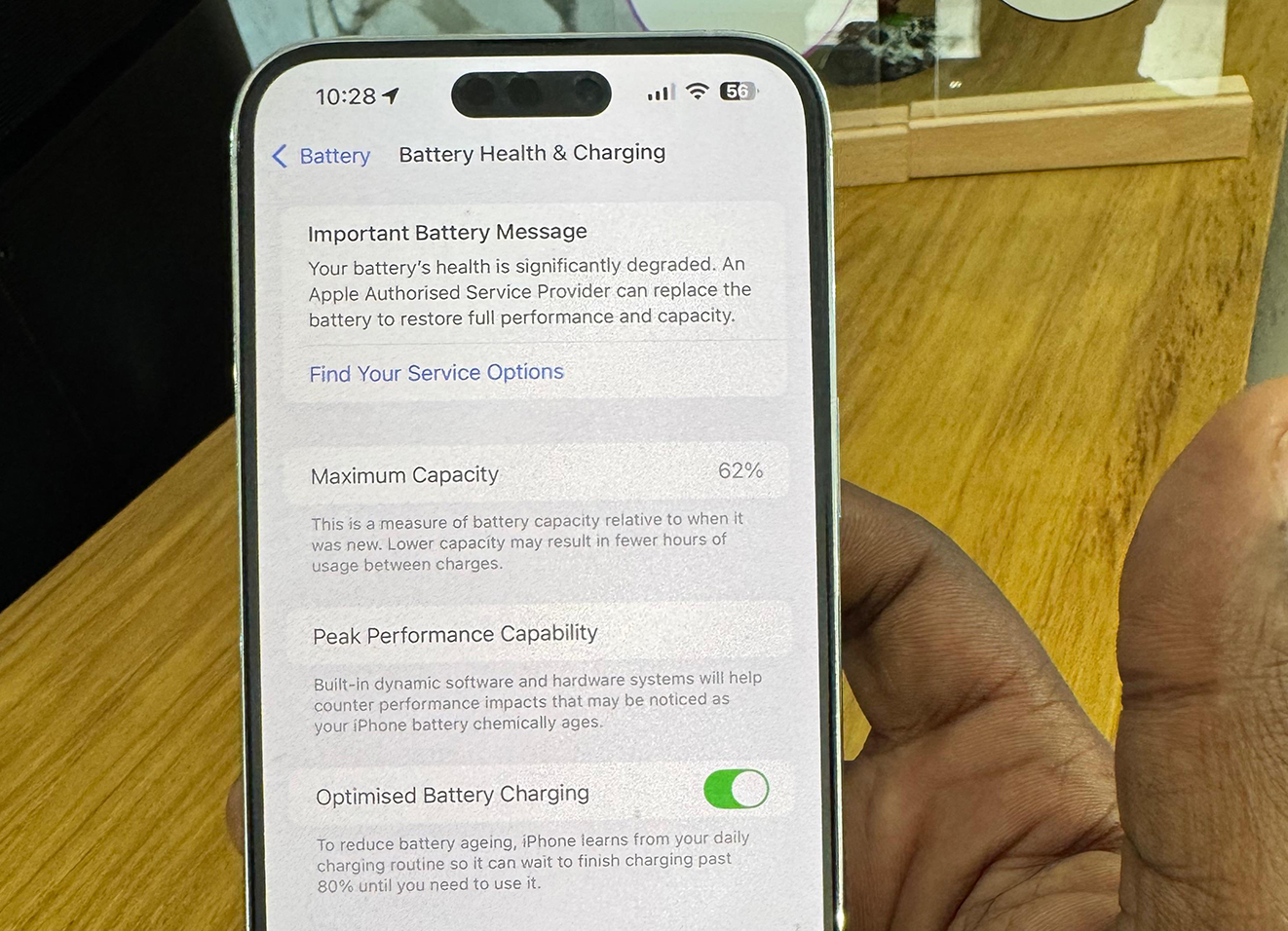
An iPhone battery at 72% health is significantly degraded - Apple's own threshold for "Service Recommended" is 80%. At 72%, you'll notice noticeably shorter battery life, possible unexpected shutdowns, and reduced peak performance because iOS throttles the CPU to protect the weakened cell. The good news: a battery replacement restores full capacity and removes the throttle.
Battery health - shown in Settings → Battery → Battery Health & Charging - measures how much of the original maximum capacity your battery still holds. A brand-new iPhone starts at 100%. Every charge cycle gradually reduces that number. Here's what each range means in everyday use:
| Health % | Status | What You'll Notice |
|---|---|---|
| 100–80% | Good | Normal battery life - phone lasts a full day |
| 79–60% | Degraded | Noticeably shorter day - plugging in by afternoon |
| 59–40% | Poor | Half a day on a full charge - possible random shutdowns |
| Below 40% | Replace Immediately | Won't last through a morning - high shutdown risk |
Apple recommends battery replacement when Maximum Capacity drops below 80%. At that point your iPhone will display a yellow "Service Recommended" message in Settings → Battery → Battery Health & Charging. This is Apple's signal that the battery is no longer performing within normal specifications.
"Maximum Capacity" is Apple's term for what percentage of the original full charge your battery can now hold. If your Maximum Capacity shows 72%, your phone on a "full charge" is effectively only getting 72% of what it did when new - roughly equivalent to charging a new phone to 72% and never going higher.
Beyond shorter battery life, a degraded battery triggers Performance Management - a feature that automatically reduces CPU and GPU peak speeds to prevent unexpected shutdowns caused by the weakened battery's inability to deliver peak current. This is why an older iPhone sometimes feels sluggish even after a software update: the phone is slowing itself down to protect itself. Replacing the battery turns off Performance Management.
All battery replacements use Apple original and OEM battery cells and come with a 90-day warranty. Prices below include parts and labour.
| Model | Battery Replacement Price |
|---|---|
| iPhone X | R700 |
| iPhone XR | R750 |
| iPhone XS | R750 |
| iPhone XS Max | R800 |
| iPhone 11 | R750 |
| iPhone 11 Pro | R800 |
| iPhone 11 Pro Max | R900 |
| iPhone 12 / 12 Mini | R750–R800 |
| iPhone 12 Pro / Pro Max | R800–R900 |
| iPhone 13 | R1,000 |
| iPhone 13 Mini | POA |
| iPhone 13 Pro / Pro Max | R1,000–R1,100 |
| iPhone 14 (all models) | R1,100 |
| iPhone 15 (all models) | R1,100 |
Prices last updated July 2026. WhatsApp us to confirm your model's exact price.
Apple makes it easy to check your battery health in three steps:
Tap the grey Settings icon on your home screen.
Scroll down and tap Battery. Then tap Battery Health & Charging.
The percentage shown next to Maximum Capacity is your battery health. If it's below 80%, consider a replacement. If it shows a yellow "Service Recommended" notice, replacement is recommended by Apple.
Battery Questions
Fast charging generates more heat than standard charging, and heat is one of the biggest factors in battery degradation. Using fast charging occasionally is fine, but charging slowly overnight is gentler on your battery over the long term. Apple's Optimised Battery Charging feature helps by learning your routine and slowing down the final 20% of the charge.
No. Battery health cannot be reset through software. Apps or technicians claiming to "reset" your battery health are either misrepresenting the service or only resetting the display reading, not the actual cell capacity. The only way to restore 100% capacity is to replace the physical battery cell.
Yes, in most cases. Apple's Performance Management feature throttles CPU and GPU speeds to prevent unexpected shutdowns when battery health is low. Replacing the battery removes the need for throttling, so your phone can run at full speed again. Many customers find their phone feels like new after a battery replacement.
Apple recommends replacement below 80%. We suggest acting before you drop below 75% if you use your phone heavily - by then, battery drain is noticeable enough to affect your daily routine. At 72%, replacement is clearly worthwhile.
Battery replacements take 30 to 45 minutes at our Vereeniging workshop. We also offer a nationwide courier service - send your phone to us, we replace the battery the same day it arrives, and courier it straight back to you.
WhatsApp us your model and we'll confirm the price and book your battery replacement.
Book Battery Replacement