Screen Repair Guide · Lai Lai Pro Technicians
Green lines on an iPhone screen are almost always caused by a damaged OLED display panel - either from a drop, pressure, or (less commonly) a failed software update. The fix is a screen replacement. Read on to understand which cause you're dealing with, what the repair costs, and whether Apple will cover it for free.
There are three possible causes, ordered by how commonly we see them at our workshop:
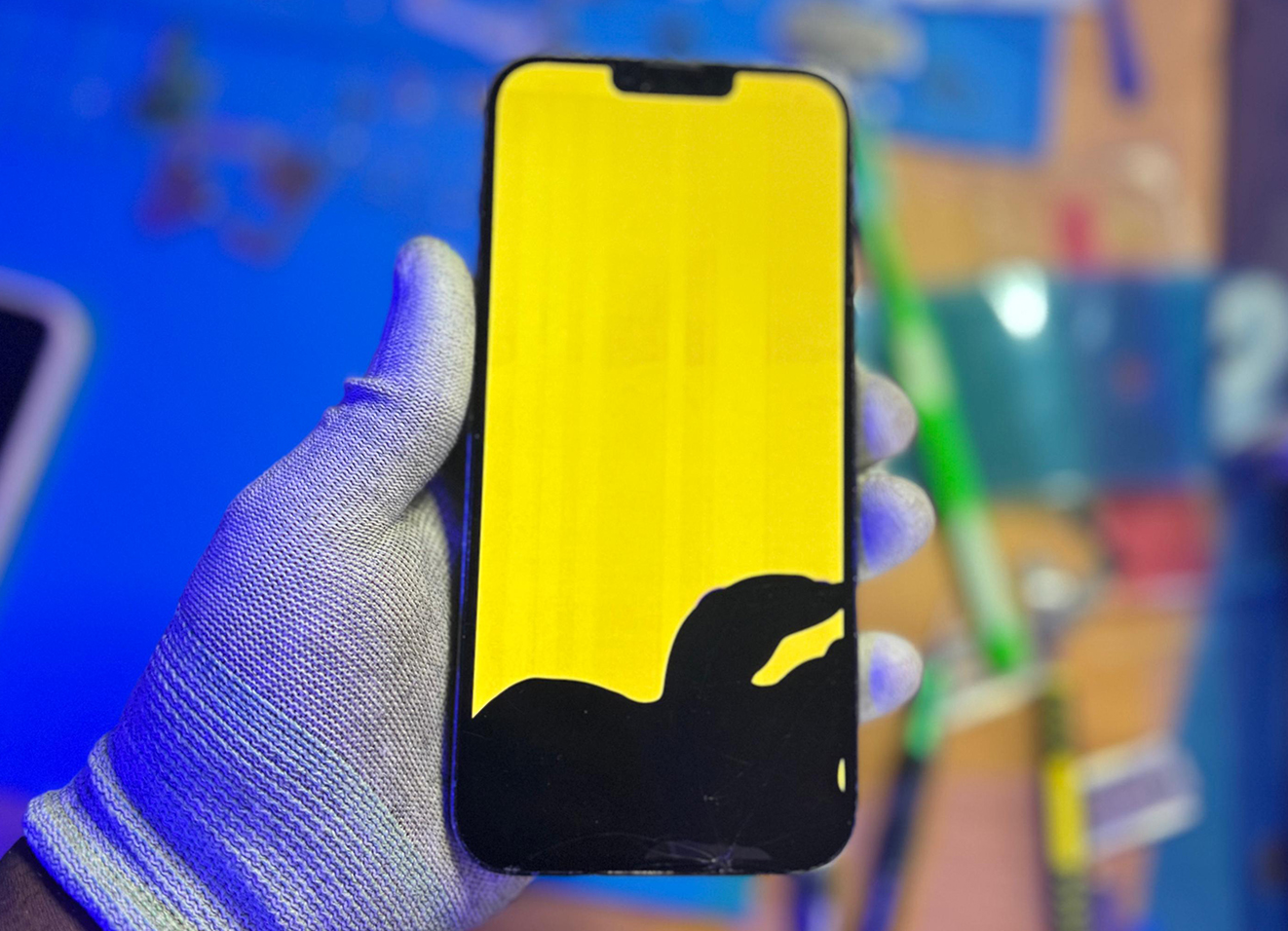
OLED screens use a flexible ribbon connector between the display and the motherboard. When an iPhone is dropped, bent, or subjected to pressure - even a minor impact that doesn't visibly crack the glass - that connector can become partially dislodged or the OLED layer itself can fracture. The result: vertical green, pink, or white lines running the height of the screen. This cannot be fixed without replacing the display assembly.
Occasionally, a corrupted iOS update or an interrupted installation can cause display firmware issues that manifest as coloured lines. This is more likely to produce lines that appear immediately after an update and affect the full screen uniformly. A DFU restore (a factory-level reinstall via a computer) can resolve this without any hardware work.
In rare cases, OLED panels can develop lines due to a factory defect in the display layer. Apple has acknowledged this on certain iPhone X and iPhone 11 Pro units and ran replacement programmes for affected devices. If your phone has never been dropped and the lines appeared without any obvious trigger, this may be worth investigating.
Before booking a repair, run this quick test to determine whether the issue is hardware or software:
To test for software: connect your iPhone to a Mac or PC, open Finder (macOS) or iTunes (Windows), and perform a DFU restore. If the lines disappear after a full reinstall of iOS, the issue was software. If they remain, it's the hardware panel.
If it's software: Yes - a DFU restore resolves it for free. You won't need any hardware work.
If it's hardware: No. An OLED panel with physical damage to the display layer or the ribbon connector cannot be repaired at the component level. The entire screen assembly must be replaced. There is no workaround.
Some technicians will suggest "reseating" the connector as a first step for minor cases - this involves opening the phone, disconnecting and reconnecting the display cable. It occasionally works when the issue is a loose connection rather than panel damage, but it is not reliable for established green lines caused by a drop.
If the green lines are hardware-related, you'll need a screen replacement. Prices at Lai Lai Pro include Apple original and OEM OLED panels and a 90-day warranty:
| Model | Screen Replacement Price |
|---|---|
| iPhone X | R1,200 |
| iPhone XR | R1,250 |
| iPhone XS | R1,400 |
| iPhone XS Max | R1,550 |
| iPhone 11 | R1,400 |
| iPhone 11 Pro | R1,650 |
| iPhone 11 Pro Max | R2,200 |
| iPhone 12 | R1,750 |
| iPhone 12 Mini | R1,650 |
| iPhone 12 Pro | R1,750 |
| iPhone 12 Pro Max | R1,850 |
| iPhone 13 | R2,500 |
| iPhone 13 Mini | R2,300 |
| iPhone 13 Pro | R3,000 |
| iPhone 13 Pro Max | R3,500 |
| iPhone 14 | R3,000 |
| iPhone 14 Plus | R3,200 |
| iPhone 14 Pro | R3,500 |
| iPhone 14 Pro Max | R4,500 |
| iPhone 15 | R3,500 |
| iPhone 15 Plus | R3,700 |
| iPhone 15 Pro | R4,500 |
| iPhone 15 Pro Max | R5,500 |
Prices last updated July 2026. WhatsApp us to confirm pricing for your specific model.
Apple will replace your screen at no cost only under two conditions:
Without warranty or AppleCare+, Apple's official screen replacement through an iStore costs between R2,999 and R5,999 depending on model - significantly more than third-party repair. At Lai Lai Pro, you get Apple original and Apple original and OEM parts, the same 90-day warranty, and a faster turnaround at a lower price.
Note: Apple has run free replacement programmes for green line issues on iPhone X and some iPhone 11 Pro units with known manufacturing defects. Check Apple's support page to see if your serial number qualifies.
Common Questions
In rare cases, a failed or interrupted iOS update can corrupt display firmware and cause green or coloured lines to appear. This is a software-side issue and can sometimes be resolved by completing a fresh update via iTunes or Finder, or performing a DFU restore. If the lines persist after a full restore, the display panel itself has hardware damage and needs to be replaced.
It is generally safe to use briefly, but green lines typically indicate underlying hardware damage that will worsen over time. The damaged OLED panel can spread the fault to adjacent pixels, and in some cases the touch layer may also begin to fail. We recommend getting it inspected as soon as possible - the sooner you act, the simpler the repair.
Yes, in most hardware cases. A cracked or damaged OLED panel tends to degrade progressively - what starts as one or two green lines can spread to larger black bands or a completely unresponsive screen. Acting sooner usually results in a simpler, cheaper repair.
An OLED screen with physical damage showing green lines cannot be repaired at the component level - the panel must be replaced entirely. If it's a software issue, restoration via iTunes or Finder resolves it without any hardware work. A technician can determine which cause applies within minutes of inspection.
WhatsApp us a photo of the screen issue and your model - we'll confirm the cause and price within minutes.
WhatsApp Us a Photo